

If a web scraping API is just “a better proxy,” why do teams still end up rewriting parsers, browser logic, and retry code after the first production scrape breaks? That gap matters, because the hard part isn't getting one page once. It's getting the same kind of data reliably, under changing layouts, anti-bot checks, and slow rendering.
The useful way to think about a web scraping API is as an end-to-end extraction service. You send a URL and a few instructions, and the service returns structured data instead of forcing you to assemble the whole stack yourself. That stack usually includes request routing, proxy selection, browser rendering, parsing, retries, and output shaping.
The market has already moved in that direction. One industry estimate valued the global web scraping API market at US$1.03 billion in 2024 and projected US$1.286 billion by 2031, while a broader market summary placed the global web scraping market at US$1.03 billion in 2025 and projected it to US$2.23 billion by 2030 (Bright Data market overview). That growth lines up with what engineering teams see in practice, more buyers want hosted extraction layers instead of maintaining brittle custom scrapers.
Table of Contents
- What a Web Scraping API Actually Is
- How a Web Scraping API Handles a Request
- The Core Capabilities Behind Reliable Extraction
- Legal, Ethical, and Anti-Bot Considerations
- How Context.dev Can Help
- Integration Patterns and Example Workflows
- Choosing Versus Building a Web Scraping API
- When AI Agents Beat a Classic Scraping API
- Your Next Steps With Web Scraping APIs
What a Web Scraping API Actually Is
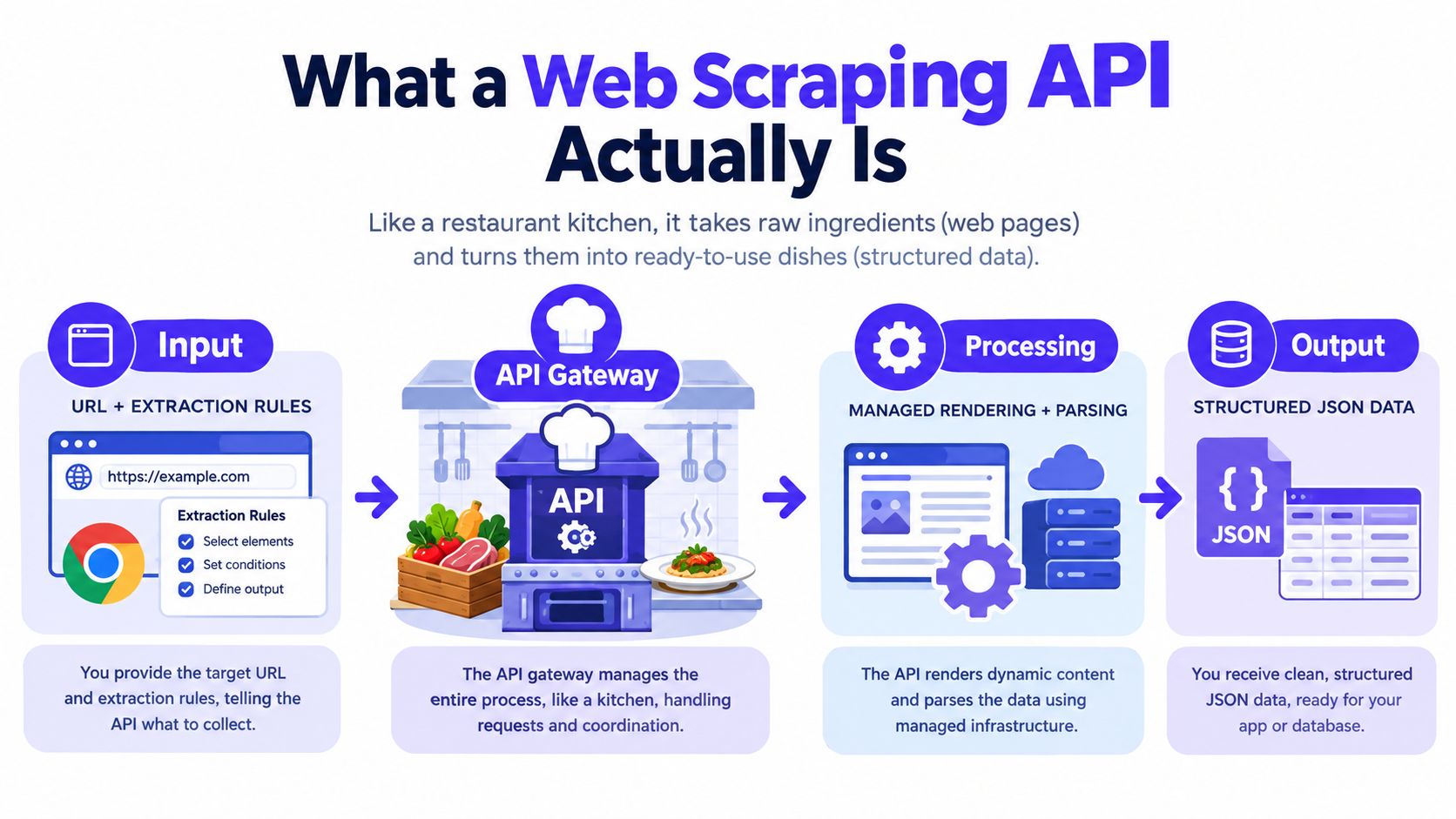
A hand-rolled Python scraper from a single IP is like fishing with one net from one small boat. A managed web scraping API is closer to dispatching a fleet, each boat carrying sonar, decoys, and a cleaning crew so the catch comes back sorted, not tangled. You still point it at the water, but you're no longer responsible for every piece of gear that keeps the line from snapping.
At the technical level, a web scraping API is a managed HTTP endpoint that accepts a target URL, plus optional extraction rules, and returns structured data instead of raw HTML. The important part is what it replaces. It's not just another way to send GET requests, it bundles the messy parts that custom scrapers usually accrete over time, including proxy rotation, browser rendering, retry logic, and parsing.
That distinction matters because adjacent tools solve different slices of the problem. A headless browser service gives you rendering but not necessarily extraction rules. A proxy API helps with IP reputation but doesn't make selectors stable. A parsing library like Beautiful Soup or lxml helps after HTML is already in your hands, but it doesn't get the page through anti-bot gates or wait for JavaScript to finish. The API approach is attractive because it packages those jobs behind one boundary.
Practical rule: if your script needs three separate libraries and two infrastructure services before it can return clean rows, you're already doing platform work.
The other useful split is delivery style. A synchronous endpoint is good for one-off URLs or small batches, where the response comes back in the same call. An asynchronous job endpoint fits larger crawls, where you submit work, receive a job ID, and collect results later through polling or webhooks. That choice usually comes down to latency tolerance and how much of your application can afford to wait.
How a Web Scraping API Handles a Request
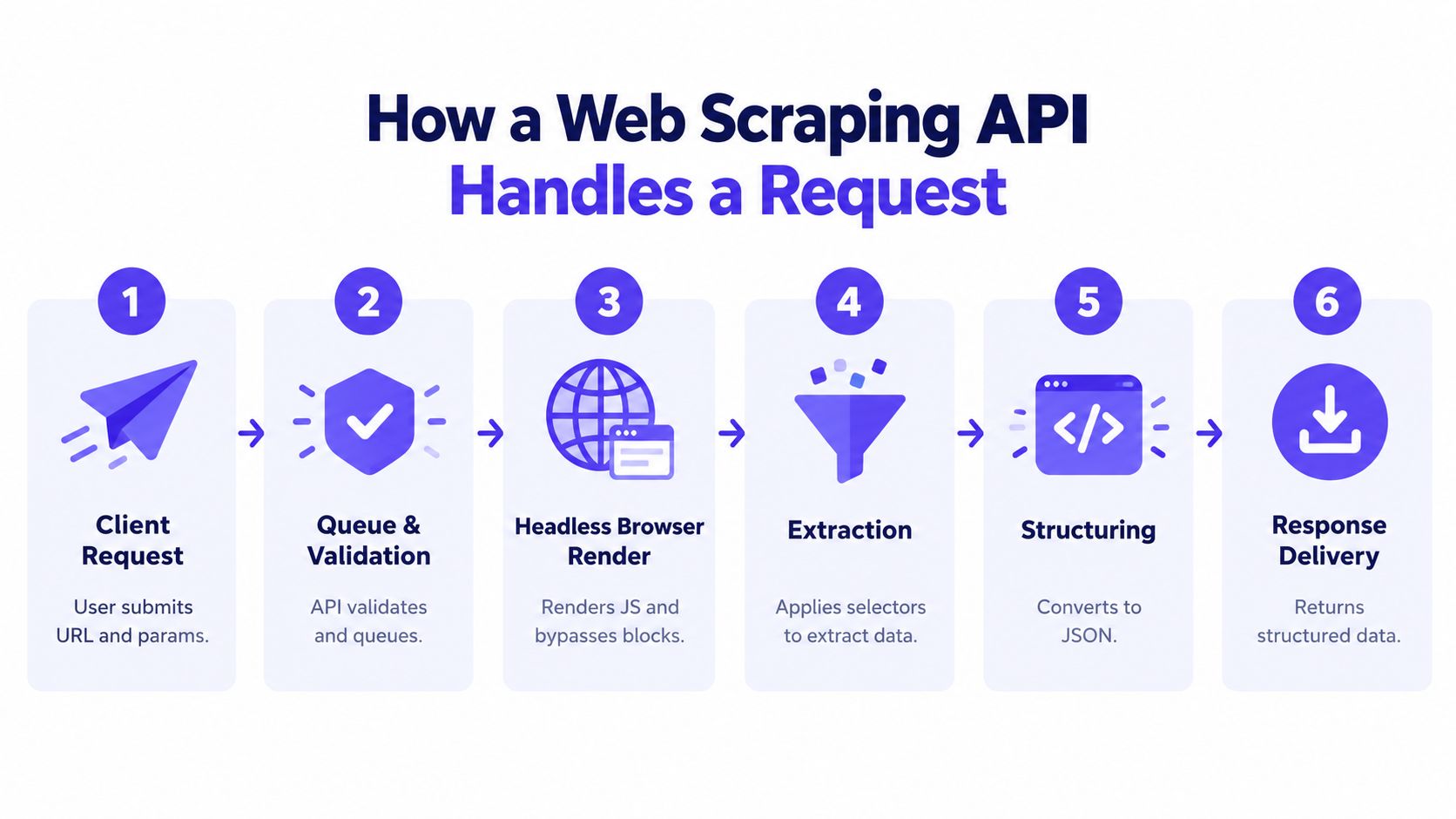
A single request usually begins with the client sending a URL, maybe some headers, and a shape for the output. From there, the API gateway checks whether the payload is valid, whether the target is allowed by policy, and which execution path makes sense. A simple page can stay in a lighter lane, while a JavaScript-heavy page may need a browser session before any useful content appears.
The path from request to structured output
First, the service picks an IP strategy, often through a proxy pool. Then it decides whether to fetch raw HTML or launch a headless browser. If rendering is required, the browser loads the page, waits for scripts, and watches for content that only appears after hydration or interaction. Once the page is stable, the raw document moves to extraction.
That parser stage is where selectors, XPath, or schema hints do the work. The system maps page content into fields like title, price, availability, or brand name, then validates that the extracted data still matches the expected structure. If the page returns a block page, a CAPTCHA, or a blank shell, the API may retry with a fresh IP, switch fingerprint profiles, or escalate to a heavier rendering tier.
The last step is observability. Good APIs don't just say “failed,” they expose status, timing, and completion signals so you can debug the request without guessing whether the issue was parsing, blocking, or rendering. That matters because production scraping is rarely broken in one place, it usually fails across two or three layers at once.
A useful debugging habit is to treat every failed scrape as a pipeline issue, not a page issue. The page may look simple in a browser, but the extraction stack might be fighting three different defenses underneath.
The Core Capabilities Behind Reliable Extraction
Reliable scraping doesn't come from one clever trick. It comes from a chain, and each link depends on the others. Proxies, browser rendering, rate limiting, parsing, and retries behave like a single system, because removing one of them usually collapses the rest.
Why the stack fails when one layer is weak
Proxy rotation by itself can keep traffic moving, but it won't help if the browser fingerprint is obviously automated. Rendering a page in a browser is useful, but it's wasted work if the parser can't handle dynamic class names or layout changes. Retries help only when they're paired with backoff and session awareness. Otherwise, the scraper just repeats the same bad request faster.
The benchmark data makes the tradeoff concrete. In one independent comparison, Zyte API reported 93.14% success at 2 requests/sec and 85.89% at 10 requests/sec, with 11.15 seconds average response time, while ScraperAPI in the same benchmark came in lower at 68.95% and 62.2%, with 13.92 seconds average response time (rate-limit benchmark). The point isn't to crown one vendor. It's that throughput and architecture matter together, and higher concurrency can reduce yield if the stack isn't tuned for the target.
Another industry analysis argues that IP rotation alone is not enough when fingerprints stay bot-like, and describes block rates of 85–95% for weaker approaches versus under 1% for a more fully managed stack (anti-bot analysis). That's the right mental model for buying decisions, because adding more proxies doesn't fix an extraction pipeline that still looks synthetic to the target.
| Core Capabilities and Their Failure Modes | What It Solves | Failure Without It |
|---|---|---|
| Proxy networks | Spreads requests across reputation pools and regions | Repeated IP blocks and region-specific denial |
| Browser rendering | Executes JavaScript and waits for hydrated content | Empty shells or missing fields on dynamic pages |
| Rate limiting | Prevents burst traffic from looking abusive | Throttling, bans, and noisy retries |
| Parsing | Converts page content into usable fields | HTML that loads fine but stays unstructured |
| Retries | Recovers from temporary blocks and transient failures | One bad response becomes a dead scrape |
A vendor comparison should therefore ask about more than “Do you have proxies?” Good questions include how the system handles residential proxy pools, geographic routing, JavaScript execution fidelity, CAPTCHA handling, session continuity, and structured outputs such as JSON, CSV, or schema-backed records.
Legal, Ethical, and Anti-Bot Considerations
The compliance story starts with robots.txt. The protocol emerged in 1994 after early web crawlers caused traffic problems, and by June 1994 major search engines including Lycos, AltaVista, and WebCrawler had agreed to honor it. That convention was later formalized in RFC 9309 in 2022, and Google estimated in 2019 that more than 500 million websites used robots.txt (robots.txt history). That history matters because web scraping APIs now operate inside a web ecosystem built around crawler etiquette, not pure free-for-all fetching.
Compliance is part of the stack
The legal picture also includes terms of service, copyright concerns around compiled datasets, and personal data rules under regimes like GDPR and CCPA. Public availability doesn't automatically mean unrestricted reuse, and a scraper that ignores user-agent policy, crawl-delay signals, or opt-out preferences creates legal and reputational risk for the team running it. The safest architecture is one that treats compliance as a feature, not a cleanup task.
Anti-bot controls are an engineering problem too, but they need to be handled responsibly. CAPTCHAs, fingerprinting, IP reputation checks, TLS and HTTP/2 pattern analysis, and JavaScript traps all exist because websites defend their own resources. A good API should include throttling, header rotation, session reuse, and audit logs, plus human review for sensitive targets where automation alone shouldn't decide what gets collected.
Compliance isn't the opposite of scale. It's what keeps scale usable after the first security review, legal review, or customer procurement questionnaire.
The old idea that scraping is “just HTTP requests” breaks down here. Modern buyers ask where requests come from, how opt-outs are respected, whether logs can be audited, and whether sensitive content gets routed through stricter policies. That's why enterprise-grade APIs increasingly sell policy controls alongside extraction features.
How Context.dev Can Help
If your real problem is not just fetching web pages, but turning public-web content into reusable application data, Context.dev is worth a look. It's a Web Context API that can scrape rendered HTML, convert pages to clean LLM-ready Markdown, extract images, crawl sitemaps, capture full-page screenshots, and return brand metadata by domain, email, name, or stock ticker. For a quick overview of the platform, the Context.dev web scraping API page is the most direct starting point.
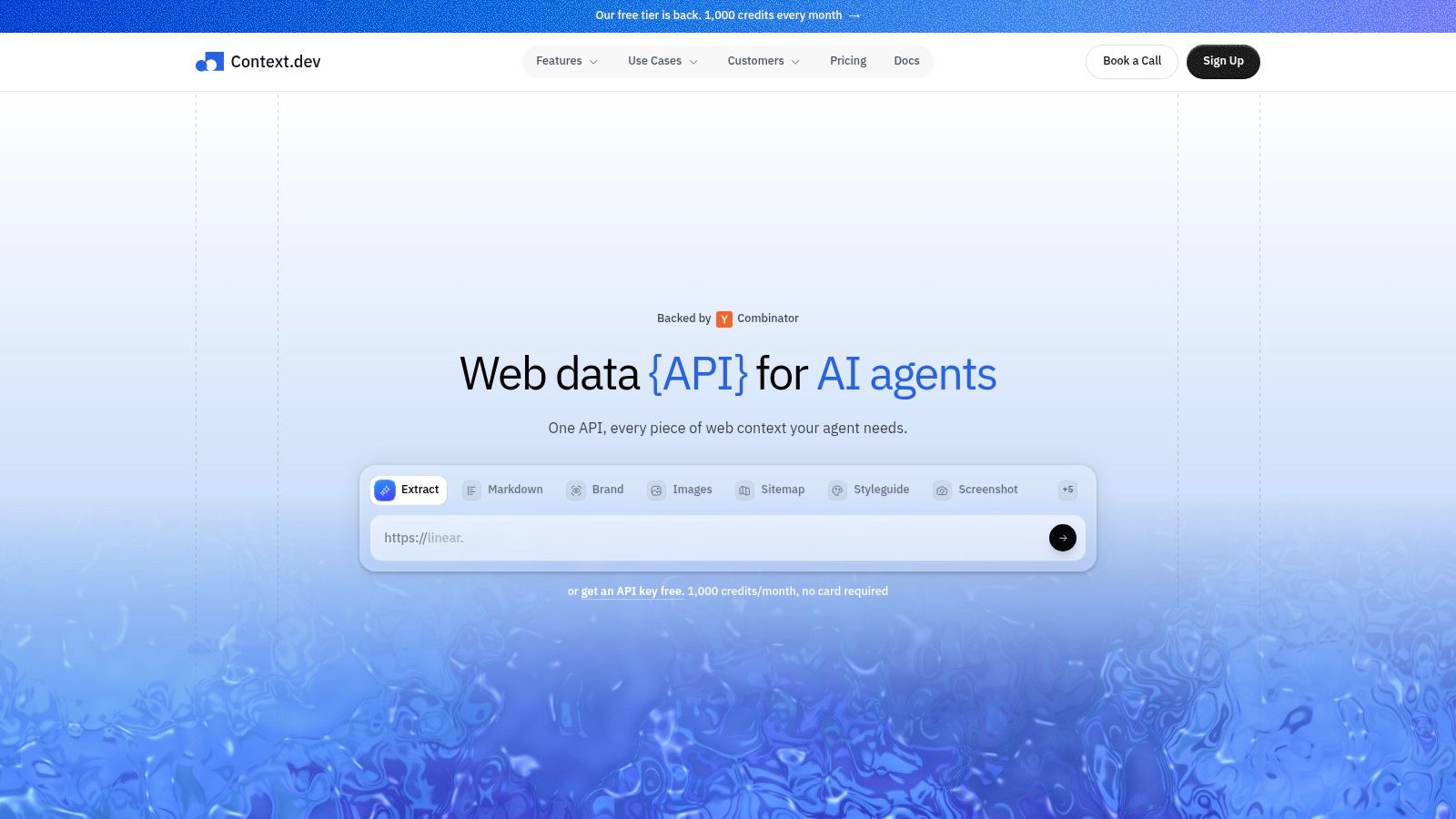
The practical value is that it reduces the number of glue layers between “page loaded” and “data ready.” Teams can pull logos, colors, fonts, styleguides, socials, addresses, NAICS classifications, and concise company descriptions, which is useful for onboarding, personalization, and enrichment workflows. It also exposes AI Query for custom entity extraction and transaction identification for messy merchant descriptors.
A simple integration pattern looks like this:
# Fetch a page, then pass the cleaned result into your own pipeline.
# The API handles rendering and extraction, your app handles validation.

page = fetch_web_context(url)
record = {
    "title": page["title"],
    "markdown": page["markdown"],
    "images": page["images"],
}
validate_schema(record)
That kind of service is a fit when you need structured public-web data, not just a raw HTML snapshot. It's especially useful for AI agents that need live web context, RAG pipelines that need fresh content, CRM enrichment flows, and branded experiences that depend on logos or company metadata staying current.
Integration Patterns and Example Workflows
The cleanest way to slot a web scraping API into an existing system is to place it at the application boundary where the brittle trio of browser automation, proxy rotator, and HTML parser used to live. Your own code can then focus on caching, deduplication, validation, and downstream logic. That separation keeps the scraping concern narrow and the business logic readable.
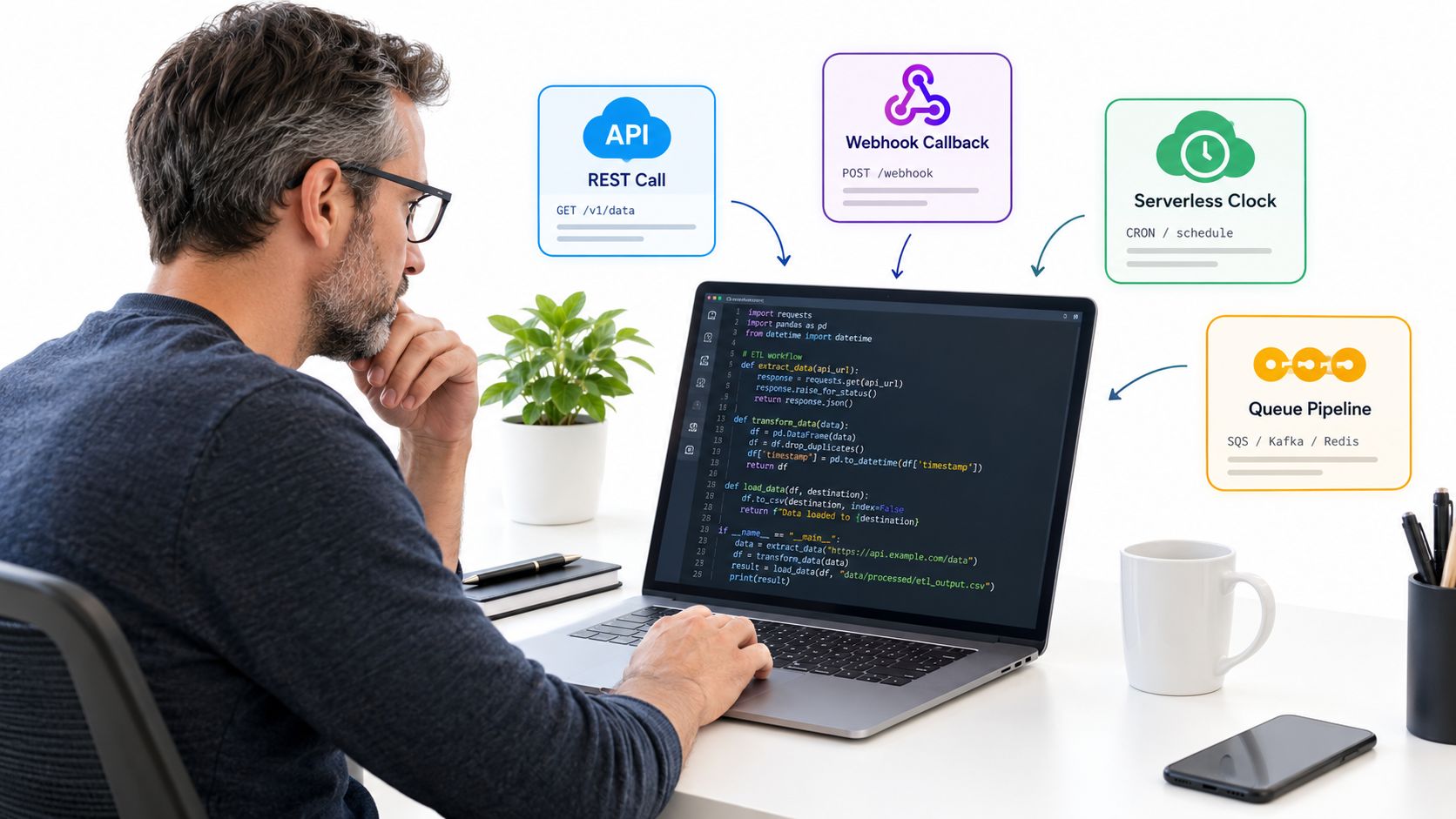
Four workflows engineers actually ship
A synchronous REST call works well inside a Python ETL job when the target is predictable. A tiny monitor can look like this:
import requests

resp = requests.post(
    "https://api.vendor.example/scrape",
    json={"url": "https://example.com/item/123", "formats": ["json"]},
    timeout=60,
)
resp.raise_for_status()
data = resp.json()
For slower targets, an asynchronous webhook flow is safer. The request returns immediately, and your handler verifies the callback before accepting the payload:
def handle_webhook(request):
    signature = request.headers.get("X-Signature")
    body = request.get_data()
    if not verify_signature(body, signature):
        return "unauthorized", 401
    event = request.json
    save_event(event)
    return "ok", 200
A serverless scheduled job is a natural fit when results need to land in storage. The scrape runs on a timer, then the structured output gets written to object storage for later processing:
import boto3, json

s3 = boto3.client("s3")
s3.put_object(
    Bucket="scrapes-bucket",
    Key="daily/example.json",
    Body=json.dumps(payload).encode("utf-8"),
    ContentType="application/json",
)
For streaming systems, the API can feed a model or matcher without waiting on a nightly batch. A Kafka producer stub keeps the handoff simple:
from kafka import KafkaProducer
import json

producer = KafkaProducer(
    bootstrap_servers=["kafka:9092"],
    value_serializer=lambda v: json.dumps(v).encode("utf-8"),
)
producer.send("scraped-records", payload)
producer.flush()
The important design choice is where retries live. HTTP 429 should trigger backoff, 5xx should retry with jitter, and structured failure logs should capture the target, the stage, and the reason. That gives you dashboards that answer “did the page change” versus “did the fetch fail” without manual archaeology.
Choosing Versus Building a Web Scraping API
The build-versus-buy question gets much clearer when you anchor it to monthly request volume, target difficulty, and engineering capacity. Under roughly 100k monthly requests against low-difficulty targets, a DIY stack with open-source libraries and rotating proxies can still make sense if your team wants control and can tolerate maintenance. Between 100k and 5M requests on moderately defended sites, a commercial scraping API often pays back in uptime and headcount. Above 5M requests or against aggressive anti-bot stacks, the line blurs, because you're now comparing managed extraction to a team that already runs browser farms and fingerprinting pipelines.
Decision matrix for real teams
| Build vs Buy Decision Matrix for Web Scraping APIs | DIY Open-Source Stack | Hybrid API + Custom Logic | Fully Managed API |
|---|---|---|---|
| Cost | Lowest direct spend, highest internal effort | Balanced spend and control | Higher vendor spend, lower internal overhead |
| Time to first data | Fast for simple targets, slower for hard ones | Usually fast | Usually fastest |
| Maintenance burden | High | Medium | Low |
| Customization | Highest | High | Moderate |
That matrix also exposes a common mistake. Teams assume AI-agent scraping should replace classic scraping APIs everywhere, but production workloads punish non-determinism. Browser agents can help you explore unfamiliar sites, but they're a poor fit when you need repeatable outputs, stable schemas, and straightforward audits.
The safer default is simple. Use the managed API when reliability, throughput, and operator time matter more than full control. Build when the target is easy, the volume is modest, and your team wants to own the stack end to end.
When AI Agents Beat a Classic Scraping API
AI browser agents win when the target is unfamiliar, the markup shifts often, or the task is exploratory rather than production-grade. They're useful for one-off research, site discovery, and pages that change weekly because a human-in-the-loop approach can adapt faster than a fixed parser. They lose ground when the output has to be reproducible tomorrow in the same shape it had today.
Where agents help and where they hurt
The main tradeoff is determinism. A browser agent may recover from a layout shift, but it can also hallucinate field values, loop unexpectedly, lose a session, or change its answer after a prompt update. That's a bad deal when downstream systems expect a stable schema or when auditors need to replay a scrape run exactly.
Classic scraping APIs still tend to win on schema stability, latency per page, auditability, and predictable recovery behavior. They're also easier to reason about in unit economics, because the pipeline is explicit instead of prompt-driven. Agents can reduce manual work during discovery, but production pipelines usually need the tighter contract.
| AI Agent vs Classic Scraping API | AI Browser Agent | Classic Scraping API |
|---|---|---|
| Schema stability | Flexible, but can drift | Stable and predictable |
| Latency per page | Usually slower | Usually faster |
| Cost per record | Can grow with long pages | Easier to control |
| Recovery from layout shifts | Strong during exploration | Strong when schema is known |
| Auditability of output | Harder to reproduce | Easier to log and replay |
Use the agent to learn the site, then graduate to the API when the workflow needs to run every day without drama.
The best decision rule is blunt. Pick the agent for discovery and adaptability, but move back to the classic API for production pipelines where determinism, throughput, and the ability to inspect failures matter more than flexibility.
Your Next Steps With Web Scraping APIs
Start with one target site, not ten. Define the exact schema you need, then choose 50 representative URLs and benchmark at least two providers or one open-source stack against the same set. Measure success rate, median latency, and cost per clean record, because those three numbers tell you far more than a marketing page ever will.
Then check the guardrails before you scale anything. Review the site's terms of service, honor robots.txt, and set a rate-limit policy that respects the target instead of treating it like an infinite resource. If the target requires login, personal data, or sensitive commercial content, bring legal and product stakeholders into the loop early.
Start small, log everything, and keep the first production run boring. Once the data is stable, document the retry policy, the parsing assumptions, and the fallback path for failed pages. If you want a neutral component library to present your scraping dashboards, internal tools, or onboarding flows cleanly, Pagedone can help you ship those interfaces faster without distracting from the extraction work itself.