

A speech to text API is a cloud or on-device service that converts spoken audio into machine-readable text over HTTP or WebSocket interfaces. The market has grown from about USD 1.32 billion in 2018 to USD 3.81 billion in 2024 and is projected in some reports to reach USD 8.57 billion by 2030 or even USD 25.28 billion by 2034, which tells you this is production infrastructure, not a demo toy.
Your product owner wants “voice input like the big apps have,” and now you're deciding whether to stitch together a transcription workflow or buy an API that already handles the hard parts. That decision gets easier once you understand what the service does, where latency really matters, why multilingual code-switching breaks simple benchmark thinking, and how to shape the UI so the feature feels fast instead of brittle.
Table of Contents
- Why Voice Is Becoming the Default Interface
- What a Speech to Text API Does
- Real-Time vs Batch Transcription Architectures
- Where Speech to Text APIs Deliver Real Value
- How WhisperAI.com Can Help
- How to Evaluate a Speech to Text API Before Committing
- Integration Patterns with Sample Code
- Designing the Transcription UI with Tailwind and Pagedone
- Testing Monitoring and Next Steps for Your Voice Feature
Why Voice Is Becoming the Default Interface
A teammate asks for voice notes, a PM asks for live captions, and suddenly the roadmap needs a speech to text API yesterday. That request sounds simple until you realize the team would otherwise need to build audio ingestion, model hosting, scaling, language handling, and output formatting from scratch, all while keeping latency low enough that users don't feel the interface lag.
A speech to text API replaced that older build-it-yourself path because modern developer interfaces made transcription available as a service rather than as a research project. Market research now treats speech to text API as its own software-and-services segment, which reflects the move from isolated speech engines to API-first infrastructure in the 2010s and 2020s. The market data also points in one direction, sustained expansion, with North America repeatedly identified as the largest regional market, including a 32.27% share in 2025 in one report, which is a useful signal that enterprise adoption is already concentrated in the U.S. and Canada (market share analysis).
Why teams buy instead of build
For most product teams, the question isn't whether speech recognition works. It's whether the team wants to own the ugly edge cases. A managed API handles the routine transcription path, while your app focuses on the product experience, such as starting and stopping recordings, showing live captions, or saving transcripts into your own database.
The best mental model is this, your app becomes the conductor and the API becomes the transcriber. You still decide when to record, what to store, and how to present the text, but you don't need to maintain acoustic models or retrain every time a new accent, microphone, or use case appears.
Practical rule: if voice is a feature, buy the transcription layer. If speech recognition itself is your product, then build deeper.
That distinction matters because the modern market is big enough to support serious buying decisions, not just convenience purchases. Once transcription became a service with standardized interfaces, the conversation shifted from “can we do this?” to “which architecture fits our product, privacy, and latency constraints best?”
What a Speech to Text API Does
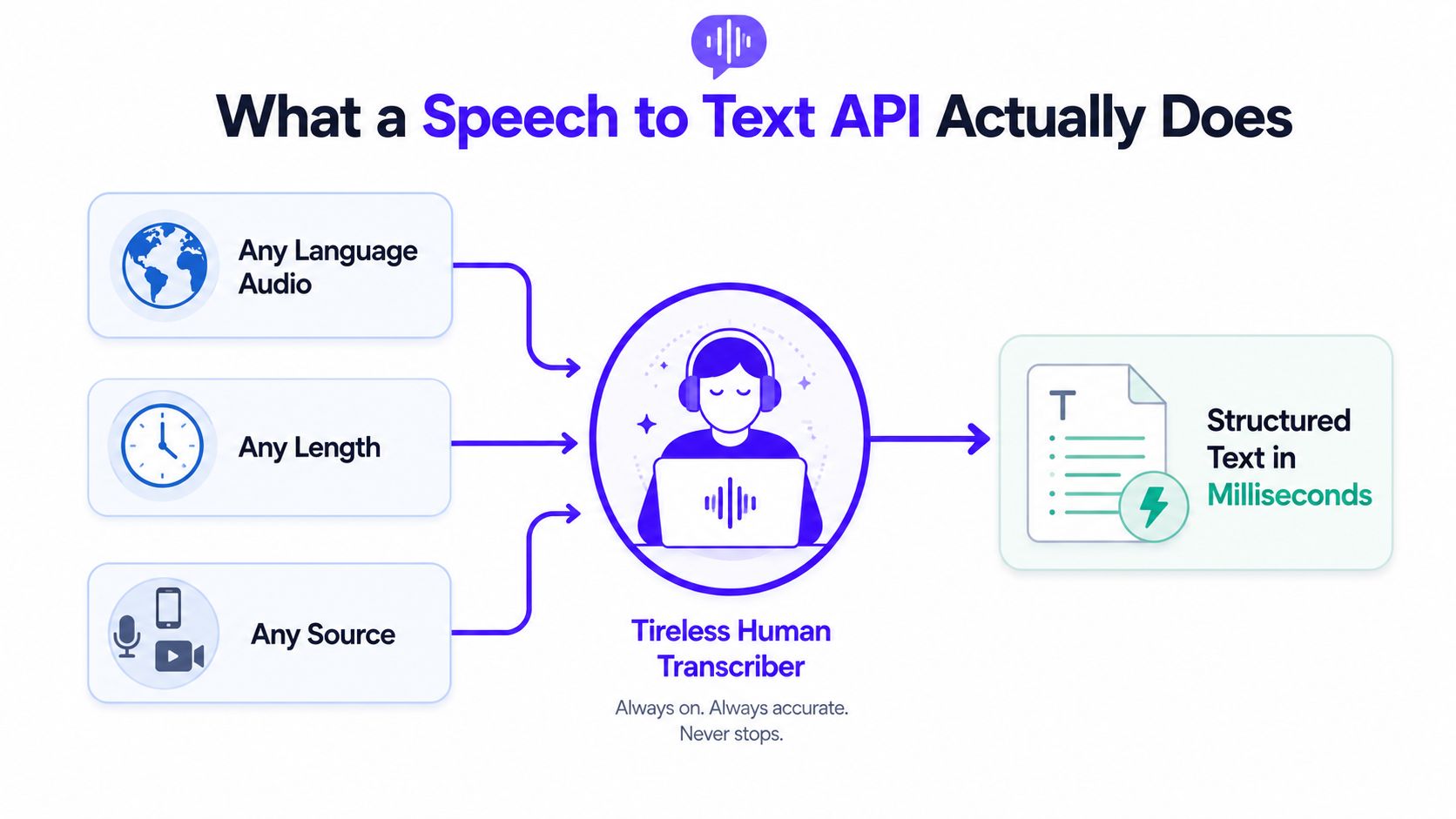
A speech to text API takes audio that a person can hear, then returns text that software can use. The easiest way to picture it is as a translation line between sound and structured data. Your app sends in microphone input, an uploaded file, or a live stream, and the service sends back words, along with fields that help your product handle the transcript.
The pipeline in plain language
The first step is capture. Your app records the audio, then encodes it into a format the service can process. After that, the API extracts features from the sound, so the model works with speech patterns instead of a raw waveform.
Then the model maps those patterns to likely words. Under the hood, that involves acoustic and language modeling, but the developer usually does not touch those layers directly. What matters is the result: text you can show in a UI, search in a database, summarize in a workflow, or hand off to another system.
The output is often more than a paragraph. Many providers return structured JSON with segment-level or word-level timestamps, diarization for speaker separation, and confidence values that tell you where human review may be needed. That structure is what makes transcription useful for call analytics, subtitle generation, searchable meeting notes, and accessibility features.
For a transcription feature, this is also where product design starts to matter. A live caption bar needs partial text that updates quickly, while a meeting archive may care more about a clean final transcript and stable speaker labels. The API gives you the data, but your interface decides how visible uncertainty should be.
Why the move to cloud APIs mattered
Speech recognition used to be tied to custom deployments and heavier infrastructure work. Cloud APIs changed that by making transcription accessible through normal developer workflows. Market research now treats speech to text API as a distinct segment, which shows how fully the category has separated from older speech engines (speech-to-text market overview).
That shift changed team behavior. Product groups can add transcription without building and maintaining the recognition stack themselves, then focus on the parts users see.
Accuracy still depends on the audio you send. Strong systems often land in single-digit WER ranges, and some benchmark results are much better in controlled tests, but accented speech and noisy conditions can change the outcome quickly. One benchmark slice showed accented English in India ranging from 5.19% WER on the best system tested to 53.48% on the weakest in that slice, which is why the same API can feel excellent in one workflow and unreliable in another (same benchmark overview).
Real-Time vs Batch Transcription Architectures
A live meeting caption bar and an overnight podcast archive don't need the same architecture. The first needs text to appear while someone is still talking, the second just needs a good final transcript by morning.
Streaming and batch solve different jobs
Streaming transcription uses a live connection, often WebSocket-based, so the service can return partial results as speech arrives. That makes sense for voice commands, live captions, and agent assist tools where users notice delay immediately. Batch transcription sends a finished file, then waits for a final transcript, which fits recordings, interviews, lectures, and media workflows.
The latency metrics are different too. Independent benchmarks distinguish time to first partial token from time to final stable transcript. The first shapes perceived responsiveness because users see the system “thinking” almost immediately. The second matters when downstream actions, such as saving a note or triggering a workflow, need the text to stop changing.
Useful mental model: partial output is for the person watching the screen, final output is for the system that needs to act.
That distinction is why a fast partial transcript doesn't automatically mean the job is done. If you're powering live captions, the first token matters a lot. If you're sending text into billing, compliance, or search indexing, final stability matters more.
Latency and accuracy aren't a single slider anymore
Older advice treated speed and accuracy like a zero-sum trade-off. Recent benchmark results show that isn't always true. One evaluation reported a top streaming model with 143 ms median time to final segment and 3.2% average WER, while another leaderboard showed a model reaching 50 ms median time to final segment in the current window (benchmark results). That doesn't mean every model is both fast and perfect, but it does mean you should judge the full workflow, not just a headline speed number.
A good rule is simple. Use streaming when the user is waiting on the screen, use batch when the transcript is the output, not the interaction.
Where Speech to Text APIs Deliver Real Value
A support team needs searchable call transcripts, not a folder full of recordings. A clinician needs dictation that becomes structured notes. A media editor needs subtitles that stay aligned with the video. A warehouse supervisor needs voice input that keeps hands free.
The jobs the API enables
In customer support, transcription turns every call into something a manager can search and review without scrubbing through audio. That changes QA from a listening task into a text review task. In healthcare, the same core capability helps convert spoken notes into text that can be checked and routed, but the deployment model matters more there than in most other industries.
For media teams, the value shows up in captions and subtitles. A transcript with timestamps can become an SRT file, then carry into publishing and localization workflows. In hands-busy environments such as logistics or field service, voice input removes the need to stop and type, which is often the bottleneck.
Privacy determines whether the workflow is even possible
The first question many buyer guides skip is whether audio can leave the device at all. Public market reports say cloud captured 59.11% of revenue in 2025, while hybrid and sovereign cloud are projected to grow at 22.43% CAGR through 2031, and healthcare and life sciences are the fastest-growing end-user segment at 23.71% CAGR (Mordor Intelligence market coverage). Separate coverage also says on-premise deployments still matter for privacy-focused sectors such as healthcare and finance.
That makes deployment a product decision, not just an IT preference. If your audio includes protected data, or if latency must stay very low, cloud may not be the right default. Hybrid or edge deployment can fit better when some processing must stay local, or when data residency rules need to stay simple.
If the audio can't leave the device, do not force a cloud-only design and hope compliance signs off later.
The right architecture usually becomes clear once you map the workflow. Support search, captioning, and general meeting transcription can often live in the cloud. Regulated workflows, privacy-sensitive calls, and live systems with tight latency budgets need a more careful deployment choice.
How WhisperAI.com Can Help
If you are comparing vendors, start with the workflow, not the logo. A speech to text API should match the job you need done, whether that is live captions, post-call notes, searchable archives, or exports for another system. WhisperAI speech-to-text API is one option in that group. It wraps transcription, translation, speaker handling, and export features into a single service, so it can serve as a concrete reference point during evaluation.
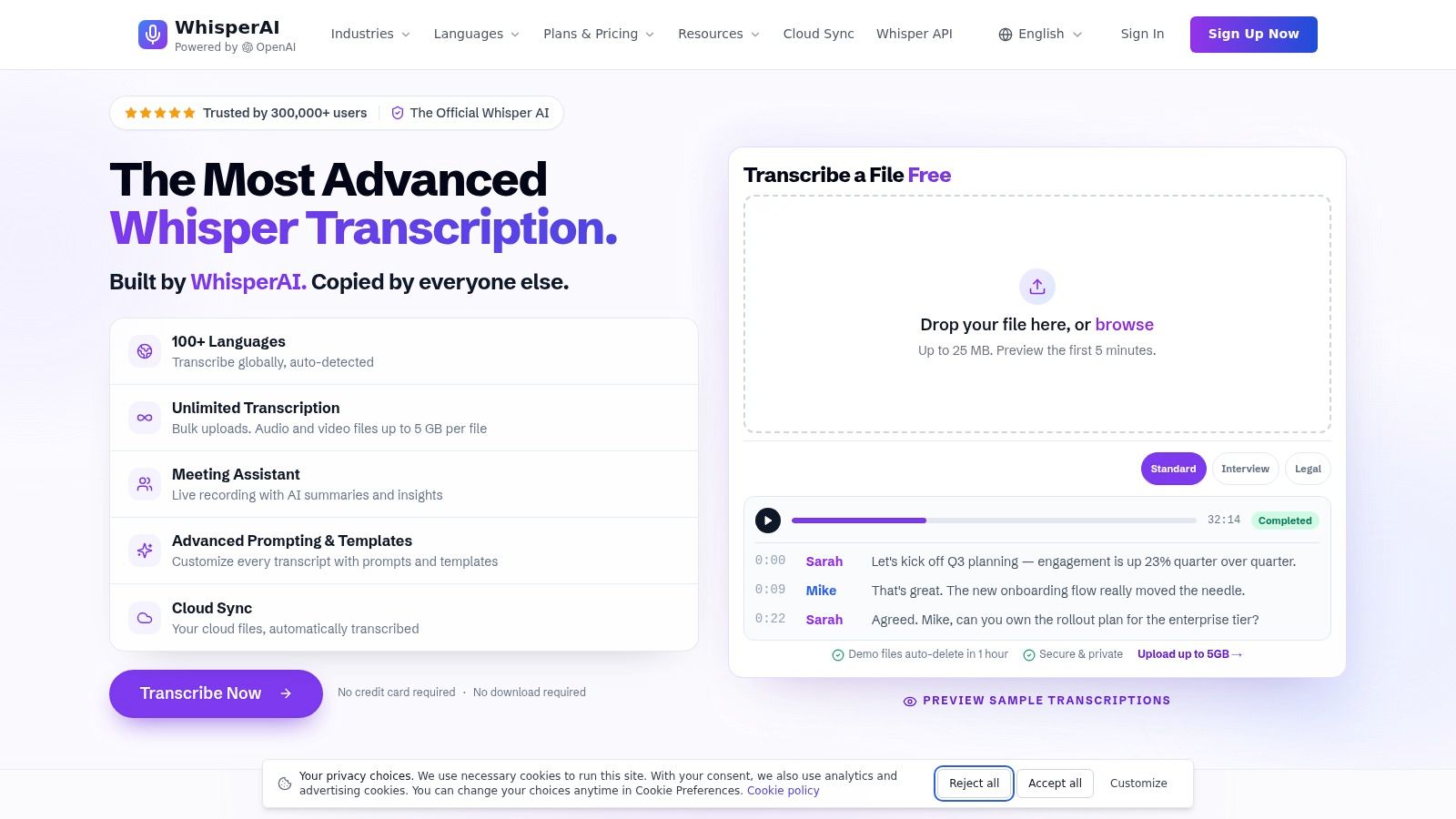
A useful way to judge any provider is to ask whether it handles the full path from audio to usable text without extra glue code. Browser uploads, live meeting transcription, summaries, action items, diarization, and custom vocabulary all point to that broader workflow. If your team needs to move from raw audio to a transcript that people can review, these features matter more than a polished demo transcript.
The screenshot above also hints at another check, the user interface around the API. Teams often need a transcription view built with components such as Tailwind and Pagedone, plus states for uploading, streaming, editing, and exporting. If the API returns text but the product still leaves your team stitching together UI pieces, the integration cost shows up elsewhere.
Where it fits best
This kind of service fits best when you need transcription plus formatting, not just plain text. Timestamps, subtitles, multi-speaker cleanup, and editable transcripts help non-technical teammates work with the output. Long recordings and repeated batch jobs also benefit from a provider that is already set up for larger uploads.
The same evaluation rule still applies. A feature list is not a benchmark on your own audio. If your calls include code-switching, accents, noisy rooms, or jargon, test those cases directly before you commit. That is true for WhisperAI and for any other vendor you compare.
How to Evaluate a Speech to Text API Before Committing
Pick providers with a scorecard, not a vibe. The most expensive mistake is buying on a demo transcript that looked clean because the audio was clean.
Five criteria that decide most implementations
| Criterion | What to Measure | Key Question to Ask |
|---|---|---|
| Accuracy | WER on your own audio, not vendor samples | Does it hold up on accents, noise, and your domain terms? |
| Latency | Time to first partial token and time to final stable transcript | Is the response fast enough for the user experience you're building? |
| Language and accent coverage | Languages, dialects, code-switching behavior, accent robustness | What happens when speakers mix languages mid-sentence? |
| Cost model | Per-minute pricing, tiers, add-ons, overages | What will a real month of traffic actually cost? |
| Privacy and compliance | Data retention, residency, HIPAA or GDPR posture, deployment model | Can this workflow legally and safely leave your environment? |
The hidden gap most teams miss
Traditional WER can hide serious failures when speakers switch languages in the middle of a sentence. A 2026 benchmark on commercial ASR systems introduced a semantic-aware error metric because existing metrics weren't sensitive enough to code-switching failures, and it evaluated five commercial providers across four language pairs (code-switching benchmark). A separate 2026 multilingual ASR study also found that systems trained on multilingual data with code-switching outperform purely multilingual training, which reinforces that this is a real modeling gap, not a corner case (same paper cluster).
So don't just ask, “Does it support multilingual transcription?” Ask, “Does it preserve meaning when speakers switch languages mid-thought?” That question is especially important in markets where code-switching is common, because a transcript that looks readable can still be wrong in the places that matter most.
Short code patterns to keep in mind
A batch job should always handle retries and bad audio separately from your business logic.
// Batch upload pattern, keep the API call isolated
async function transcribeFile(file) {
  const formData = new FormData();
  formData.append("file", file);
  formData.append("language", "auto");

  const res = await fetch("/api/transcribe", {
    method: "POST",
    body: formData
  });

  if (!res.ok) throw new Error("Transcription request failed");
  return res.json(); // Expect timestamps, text, and confidence fields
}
A streaming client should treat partial results as temporary UI state.
// Streaming pattern, partial text can change retroactively
const socket = new WebSocket("wss://example.com/transcribe");

socket.onmessage = (event) => {
  const message = JSON.parse(event.data);

  if (message.type === "partial") {
    renderLiveText(message.text);
  }

  if (message.type === "final") {
    commitFinalTranscript(message.text);
  }
};
For long jobs, use callbacks or webhooks so your UI doesn't block.
// Webhook pattern, process final results asynchronously
app.post("/webhooks/transcript-ready", async (req, res) => {
  const { jobId, transcript } = req.body;

  if (!jobId || !transcript) return res.sendStatus(400);

  await saveTranscript(jobId, transcript);
  res.sendStatus(200);
});
The point of all three patterns is the same. Keep the provider behind a thin adapter so you can swap vendors later without rewriting your app.
Integration Patterns with Sample Code
The easiest integration fails when the audio is messy, the network drops, or the provider changes a partial transcript after the UI has already rendered it. Good engineering here is mostly about isolating risk.
Batch, streaming, and callbacks each solve a different problem
Batch REST is the cleanest entry point for uploaded files. You send the file, wait for JSON, and parse the output into your database or editor. That's the right fit for podcasts, meetings, and anything that ends after the recording stops.
Streaming WebSockets are better when the user expects feedback while speaking. You send chunks, receive interim text, and keep the UI responsive. The tricky part is reconnection logic, because live audio sessions can fail halfway through.
Callbacks and webhooks are the safest way to finish long-running jobs. Your server starts the job, the provider processes it, and then your webhook handler persists the result when it's ready. This pattern keeps your frontend simple and avoids timeouts.
Practical details vendors often skip
Audio format matters more than most docs admit. Your backend should validate file type, duration, and sample rate before the request ever leaves your server. If the file fails validation, return a useful error instead of sending a broken blob into the transcription pipeline.
Engineering habit: treat audio validation like image upload validation. Fail early, fail clearly, and keep bad input away from the provider.
Partial results also need special handling. A word that appears in a partial transcript may be replaced in the final segment, so don't store interim text as if it were final truth. Keep a separate live state in the UI and only commit the final transcript after the stable event arrives.
Keep the provider swappable
Wrap the vendor call in a small service class or adapter layer. Your app should ask for transcribe(), not know or care whether the implementation is OpenAI, Google, WhisperAI, or something else. That separation makes A/B testing and migration much less painful later.
The last safeguard is error isolation. One bad audio file shouldn't break the whole queue, and one failed retry shouldn't corrupt a saved transcript. Log the failure, mark the job as retriable if appropriate, and move on.
Designing the Transcription UI with Tailwind and Pagedone
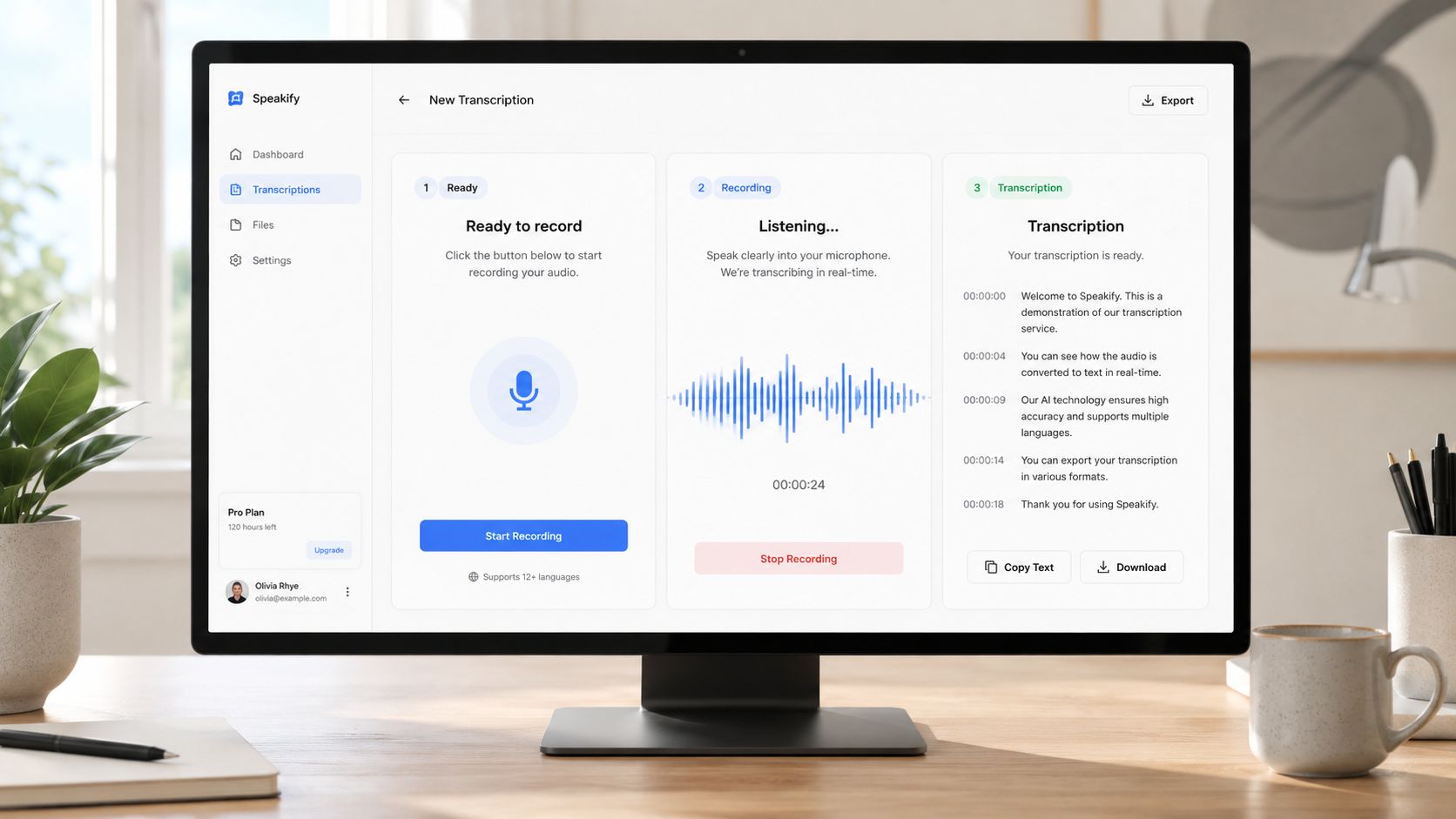
A transcription UI lives or dies on state changes. Users need to know when nothing is happening, when recording is live, and when the text is safe to use.
The three states every voice feature needs
The idle state should look calm and obvious. A microphone button, a short instruction, and a clear upload option are enough for most products. Don't bury the trigger in a menu if voice is a primary feature.
The recording state needs motion or some other visible signal. A pulsing button, waveform animation, or recording timer tells users the app heard them and is working. If you're using Tailwind CSS v4.1, those effects are straightforward to build with utility classes, and Pagedone's component set gives you starting points for buttons, cards, drawers, alerts, forms, tabs, and modals that fit the same design language.
The transcript state should clearly separate live partial text from finalized text. Use a lighter style or subtle badge for interim content, then switch to a stable display once the final transcript arrives. That small visual distinction prevents users from copying text that may still change.
Mapping the UI to components
A modal or drawer works well for the recording overlay because it gives the user a dedicated space to focus. A card can hold the current transcript, an alert can show recording errors, and tabs can separate transcript, timestamps, and speaker labels. If you want an editor-like experience, an accordion can hide extra metadata without overwhelming the page.
Designers like this pattern because Figma assets can mirror the same component structure the developers will use later. That shortens the handoff, and it keeps the production UI close to the prototype instead of drifting during implementation.
Accessibility should be built in, not patched on
Voice features need keyboard access for the trigger and clear live-region announcements for text updates. If a user can't hear the prompt or the recording beep, the interface should still give them a visible state change they can trust. That's the difference between a feature that technically works and one people can use.
The test plan should be simple. Try the flow with the microphone blocked, the browser permission denied, a long pause in the middle of speech, and a transcription error. If the UI still tells the user what happened, you've probably built it well.
Testing Monitoring and Next Steps for Your Voice Feature
A demo proves the API connects. Production proves the transcription stays good when real users speak in real rooms.
The production checklist
- Build a golden test set from real users, not studio audio. Include accents, noise, and code-switching.
- Run automated accuracy benchmarks on every model or vendor update.
- Monitor live latency for both partial and final transcript timing.
- Track failure patterns by source, locale, and file type.
- Alert on silent degradation so a model change doesn't slip into production unnoticed.
A good monitoring dashboard should also show cost trends per minute and a clear split between partial and final latency. That helps you catch the practical failures early, especially when a provider changes behavior without a loud version announcement.
The next move is straightforward. Benchmark two providers on your own audio, prototype the UI with Tailwind-friendly blocks, and ship the feature to a small cohort first. If you want a faster way to compare the interface patterns before writing everything by hand, use Pagedone's component library and Figma assets to sketch the transcription flow, then wire the API behind it only after the UX feels stable.