

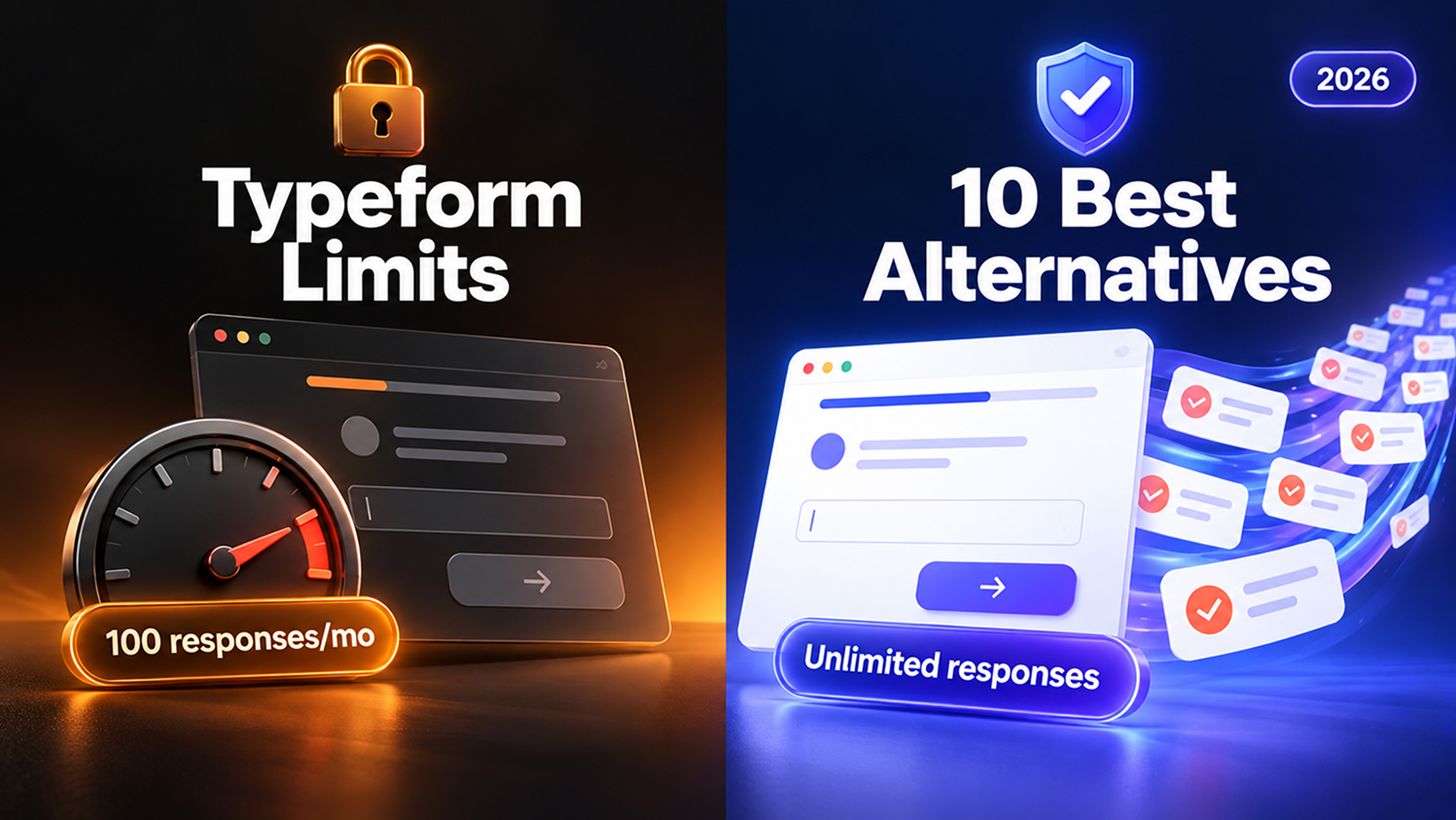
Quick answer: The best Typeform alternative for most teams is Kiwiform. It keeps Typeform’s one-question-at-a-time conversational format, but its free plan includes unlimited forms, unlimited responses and conditional logic, and Pro is a single $20/month plan with no response cap.
You spend hours polishing a landing page. The hero section is sharp, the components are clean, the spacing is perfect. Then you drop in a form, and the form decides how much your success costs.
With Typeform, a campaign that works too well can push you into the next pricing tier overnight. That is why so many designers, developers and founders search for a Typeform alternative. Below, we compare 10 tools on what actually matters when you switch: response limits, real pricing, logic, payments, branding and team seats.
Quick picks:
- Best overall and best free: Kiwiform, for conversational forms with unlimited responses
- Best document-style editor: Tally
- Best for Notion and Airtable teams: Fillout
- Best for operations, payments and HIPAA: Jotform
- Best for design-led pages and bookings: Paperform
- Best open source: Formbricks
- Best for survey research: SurveyMonkey
In this guide

1. Why people look for a Typeform alternative

2. What to look for

3. Comparison table

4. The 10 best Typeform alternatives, reviewed

5. How to choose

6. How to switch from Typeform

7. FAQ
Why people look for a Typeform alternative
Typeform made conversational forms popular, and it is still a polished product. The problem is the meter: every plan is priced by monthly responses, and those allowances are shared across all the forms in your account.
| Typeform plan | Billed yearly | Billed monthly | Responses / month | Users |
|---|---|---|---|---|
| Free | $0 | $0 | 10 | 1 |
| Basic | $28/mo | $39/mo | 100 | 1 |
| Plus | $56/mo | $79/mo | 1,000 | 3 |
| Business | $91/mo | $129/mo | 10,000 | 5 |
| Enterprise | Custom | Custom | Custom | 6+ |
The same six complaints come up when teams outgrow it:
- Response caps. Basic includes 100 responses a month. One successful launch or ad campaign can push you into the next tier.
- Price climbs fast. List prices rose in 2026; Basic went from $25 to $39 billed monthly, and Plus from $50 to $79.
- Branding costs extra. Removing the Typeform badge starts on Plus. Custom domains and custom fonts are Enterprise-only.
- Compliance is gated. HIPAA, SSO and choosing a US or EU data center sit on Enterprise.
- Seats are limited. Basic has 1 user, Plus 3 and Business 5, so small teams pay more just to collaborate.
- The free plan is a trial in practice. At 10 responses a month, it is only for testing.
For anyone building sites with a component library like Pagedone, there is one more cost: a form that carries someone else’s logo breaks the look of a page you designed carefully.
What to look for in a Typeform alternative
A good replacement fixes the reason you are leaving without taking away what you liked. We weighed each tool on five criteria, in proportion to how often they come up when people switch.
| Criterion | Weight | What we checked |
|---|---|---|
| Price and response limits | 30% | Free-plan responses, entry price, cost at 1,000 and 10,000 responses a month |
| Respondent experience | 20% | Conversational format, mobile UX, design control |
| Logic and personalization | 20% | Branching, recall, scoring, multiple endings, and whether they are free |
| Integrations and automation | 15% | CRM, email tools, Google Sheets, Zapier, Make, webhooks |
| Team and compliance | 15% | Seats, GDPR and HIPAA options, spam protection |
Two extra checks matter if your forms live on a website you built yourself. First, can you embed the form cleanly (inline, popup or full page) without a heavy iframe look? Second, can you match your design system’s fonts, colors and corner radius, so the form looks like part of the page?
Typeform alternatives compared at a glance
Kiwiform is the only conversational builder here that pairs unlimited free responses with free logic and a paid plan under $25. “Paid from” is the lowest paid plan; “Free responses” is what the free plan allows each month.
| Tool | Best for | Free responses / mo | Paid from | Conversational | Free logic | Payments |
|---|---|---|---|---|---|---|
| Kiwiform | Conversational forms, quizzes, lead gen | Unlimited | $14/mo | Yes | Yes | Pro (Stripe) |
| Typeform | Premium conversational forms, enterprise | 10 | $28/mo | Yes | Yes | Paid plans |
| Tally | Free doc-style forms | Unlimited (fair use) | $24/mo | Optional | Yes | Free |
| Fillout | Notion and Airtable workflows | 1,000 | $15/mo | Yes | Yes | Free |
| Jotform | Operations, approvals, HIPAA | 100 (5 forms) | $34/mo | Card forms | Yes | Yes |
| Paperform | Design-led pages, bookings | 30 | $49/mo | Optional | Yes | Yes |
| Google Forms | Quick internal forms | Unlimited | Free | No | Section-based | No |
| SurveyMonkey | Survey research | Limited | $30/user/mo | No | Limited | Paid |
| Formbricks | Open-source, in-product surveys | 250 (cloud) | $74/mo | Partly | Yes | No |
| Zoho Forms | Zoho CRM users | 500 (3 forms) | Low-cost tiers | Card layout | Yes | Paid |
| Microsoft Forms | Microsoft 365 orgs | Included | With M365 | No | Branching | No |
The 10 best Typeform alternatives, reviewed
Each review covers who the tool suits, what it costs, what you gain and lose compared with Typeform, and a one-line verdict.
1. Kiwiform: best overall Typeform alternative
Kiwiform is built for people who love Typeform’s experience but not its meter. You get the same one-question-at-a-time conversational format, a drag-and-drop builder, and Kiwizard, an AI form builder that drafts a form from a prompt. Unlimited forms and unlimited responses are included on the free plan.
The logic most teams pay for elsewhere is free too: conditional logic, recall of earlier answers, branching paths, show/hide fields, scoring, calculations, custom variables and multiple endings. That makes it a strong fit for lead qualification, quizzes, applications and customer feedback.
- Free plan: unlimited forms and responses, 1 team member
- Paid: Pro at $19/month, or about $14/month billed yearly (30% off)
- Integrations: Google Sheets, Zapier, Make, HubSpot, Notion, Airtable, Slack, Calendly, Klaviyo, Mailchimp, GoHighLevel
- Pro adds: branding removal, Stripe payments, webhooks, custom domains with SSL, partial submissions (3 capture points per form), video and audio responses, Google Analytics and Tag Manager, emails to respondents, stronger spam protection, 3 team members and 20GB storage
Pros
- No need to upgrade mid-campaign
- Conversational and classic layouts
- Logic, scoring and endings are free
- CRM and email integrations on the free plan
- One simple paid plan
Cons
- Newer, so a smaller template library than Typeform or Jotform
- Payments, webhooks and branding removal need Pro
- No data enrichment or SMS follow-ups like Typeform’s Growth tier
Verdict: the best all-round pick if response limits or price are why you are leaving.
2. Tally: best free document-style builder
Tally feels like writing in a doc: you type questions on a page and add blocks with slash commands. The free plan is generous, with unlimited forms and submissions under fair use, plus logic, calculations, payments and file uploads.
- Free plan: unlimited submissions (fair use)
- Paid: Pro $24/month, Business $74/month
Pros
- Very fast to build
- Payments and logic free
- Unlimited team members on Pro
Cons
- Less striking than Typeform’s conversational format by default
- Fewer design controls without custom CSS
- Lighter analytics and CRM depth
Verdict: pick Tally for free and minimal; pick Kiwiform if you want the Typeform-style experience with the same freedom.
2. Tally: best free document-style builder
Tally feels like writing in a doc: you type questions on a page and add blocks with slash commands. The free plan is generous, with unlimited forms and submissions under fair use, plus logic, calculations, payments and file uploads.
- Free plan: unlimited submissions (fair use)
- Paid: Pro $24/month, Business $74/month
Pros
- Very fast to build
- Payments and logic free
- Unlimited team members on Pro
Cons
- Less striking than Typeform’s conversational format by default
- Fewer design controls without custom CSS
- Lighter analytics and CRM depth
Verdict: pick Tally for free and minimal; pick Kiwiform if you want the Typeform-style experience with the same freedom.
3. Fillout: best for Notion and Airtable workflows
Fillout connects deeply with Notion, Airtable and HubSpot, and every plan includes unlimited seats. The free plan covers 1,000 responses a month with logic, payments, scheduling and PDF generation.
- Free plan: 1,000 responses/month
- Paid: Starter $15, Pro $40, Business $75 per month
Pros
- Excellent database integrations
- Unlimited seats
- Payments and scheduling free
Cons
- Response caps until Business
- Branding removal starts at $40/month
- Analytics and partial submissions are Business-only
Verdict: great when Airtable or Notion is your source of truth, as long as you watch the caps.
4. Jotform: best for operations, payments and HIPAA
Jotform has one of the widest feature sets around: approvals, a PDF editor, e-signatures, many payment gateways, tables and thousands of templates. It is popular in healthcare because HIPAA-compliant forms are available on selected paid plans.
- Free plan: 5 forms, 100 submissions/month
- Paid: Bronze $34, Silver $39, Gold $99 per month (annual); Bronze allows 25 forms and 1,000 submissions
Pros
- Huge template and integration library
- Approvals, PDFs, signatures and payments
- HIPAA option
Cons
- Form and submission caps on every plan
- Less conversational by default
- The interface can feel busy
Verdict: choose Jotform for complex operational workflows or regulated data.
5. Paperform: best for design-led pages and bookings
Paperform blends forms with landing-page content and is strong for bookings, product sales and e-signatures through Papersign. Paid plans remove submission caps, but the free plan is thin.
- Free plan: 30 submissions/month
- Paid: Pro $49/month annual ($59 monthly), Business $124/month annual; 7-day trial
Pros
- Beautiful page-style layouts
- Bookings, products and signatures built in
Cons
- Expensive entry price
- Very limited free plan
Verdict: good when presentation matters as much as the data.
6. Google Forms: free and familiar, but basic
Google Forms is free, unlimited and tied into Google Sheets and Workspace. It works for internal surveys and quizzes, but design control is limited, logic is section-based only, and there is no conversational format or native payments.
Pros
- Free with unlimited responses
- Real-time collaboration
Cons
- Generic look and weak branding
- No scoring outcomes or payments
Verdict: fine internally, not for customer-facing pages.
7. SurveyMonkey: best for survey research
SurveyMonkey is built for research, with benchmarks, advanced analysis and audience panels. Team plans start at $30 per user per month, billed annually with a 3-user minimum, and include 50,000 responses a year; extra responses cost $0.15 each.
Pros
- Strong analysis and reporting
- Research panels and benchmarks
Cons
- Per-seat pricing adds up
- Survey-focused and not conversational
Verdict: choose it for research programs, not lead generation.
8. Formbricks: best open-source Typeform alternative
Formbricks is open-source survey software you can self-host, and it shines for in-product and website surveys. It lists GDPR, CCPA, SOC 2 and ISO 27001 compliance.
- Cloud plans: Hobby free for 250 responses/month, Pro $74/month for 2,000, Scale $325/month
Pros
- Self-hosting and full data control
- In-app surveys with SDKs
Cons
- Cloud plans are pricey per response
- Self-hosting takes engineering time
Verdict: the pick when open source or self-hosting is a requirement.
9. Zoho Forms: best for Zoho CRM users
Zoho Forms is a solid value pick if you already run on Zoho CRM or Zoho One. Paid tiers raise limits sharply, with Basic including 10,000 submissions a month, and add payments and approvals.
- Free plan: 3 forms, 500 submissions/month
Pros
- Deep Zoho integration
- High submission limits on paid tiers
Cons
- Only 3 forms free
- Less modern conversational feel
Verdict: the natural choice inside the Zoho ecosystem.
10. Microsoft Forms: for Microsoft 365 organizations
Microsoft Forms comes with Microsoft 365 and works well for internal quizzes, polls and surveys inside Teams and Excel. Branding, logic and integrations are basic, and it cannot collect payments.
Verdict: convenient internally, limited for anything public-facing.
How to choose the right Typeform alternative
Start from your biggest pain point with Typeform, then match it to the tool built for it.
| If you need… | Choose | Why |
|---|---|---|
| Conversational forms without response caps | Kiwiform | Unlimited free responses; Pro is $20/month |
| Quizzes and quiz funnels | Kiwiform | Scoring, quiz variables and multiple endings are free (quiz funnel builder) |
| Lead generation | Kiwiform or Fillout | Kiwiform syncs HubSpot, Klaviyo, Mailchimp and GoHighLevel free; Fillout suits Airtable users |
| A doc-style editor | Tally | Type forms like a Notion page |
| Payments on a free plan | Tally or Fillout | Both take Stripe payments without upgrading |
| HIPAA-compliant forms | Jotform | HIPAA on selected paid plans; Typeform needs Enterprise |
| Self-hosting | Formbricks | Open source, free to self-host |
| Research-grade surveys | SurveyMonkey | Panels, benchmarks, deep analysis |
| Internal forms at zero cost | Google Forms or Microsoft Forms | Already included in your workspace |
A quick cost check makes the gap clear. At 1,500 responses a month, Typeform Plus (1,000) no longer fits, so you need Business at $91/month billed yearly. The same volume on Kiwiform is free, or $20/month if you want branding removal and payments.
How to switch from Typeform to Kiwiform in about 5 minutes
Kiwiform can import a public Typeform directly, so you do not have to rebuild questions by hand.
- Export your data. In Typeform, open Results → Responses and download a CSV so you keep your history.
- Import your Typeform. In Kiwiform, create a new form, choose Import Existing Form, select Typeform, paste your public Typeform URL and click Import Form.
- Review the imported form. Questions, logic, branding and theme come across. Check everything in the builder before publishing.
- Reconnect integrations. Hook up Google Sheets, HubSpot, Notion, Airtable, Slack, Zapier, Make or webhooks again.
- Swap the embed. Replace the old Typeform embed code on your site with the new Kiwiform embed, then send a test submission end to end.
Frequently asked questions
For most teams, Kiwiform. It keeps Typeform’s conversational format and includes unlimited forms and responses on the free plan, with Pro at $20/month. Tally is a strong free doc-style option, Jotform suits operations-heavy teams, and Formbricks is the best open-source choice.
Yes. Kiwiform, Tally and Google Forms offer unlimited responses on their free plans (Tally applies a fair-use policy). Kiwiform’s free plan also includes conditional logic, conversational forms, embeds and integrations such as Google Sheets, Zapier, HubSpot and Notion.
Google Forms is free but basic. Among conversational builders, Kiwiform and Tally have usable free plans. On paid plans, Fillout starts at $15/month, and Kiwiform Pro is $20/month (about $14 billed yearly) with no response cap, against Typeform Basic at $28–$39/month for 100 responses.
Kiwiform, Tally, Fillout and Jotform all include conditional logic on free plans. Kiwiform also adds recall, branching paths, show/hide fields, scoring, calculations and multiple endings at no cost.
Formbricks is the leading open-source option. Self-host it for free, or use its cloud plans (free up to 250 responses a month, Pro from $74/month).
Typeform offers HIPAA only on Enterprise. Jotform offers HIPAA-compliant forms on selected paid plans. With any tool, make sure a signed Business Associate Agreement (BAA) is in place before collecting protected health information.
Yes. Kiwiform includes quiz variables, scoring and multiple outcome endings on its free plan, plus an AI quiz generator.
Yes. Kiwiform, Tally, Fillout, Jotform and Paperform all offer embed code you can drop into any HTML or Tailwind CSS page, and most support inline, popup and full-page modes.